• HOME
  • RESOURCES
    • CLIENT GROWTH HUB
    • Resource Videos
      • App Overview
      • Responding to Messages
      • Marking a Job as Done
      • Turn On Notifications - Android
      • Turn On Notifications - iPhone
      • How to Use the Dashboard
      • How To Make A Phone Call Inside the App
      • How To Add Notes To A Contact
      • How To Add Tasks To A Contact
      • How To Keep Track of Job Opportunities
      • How To Use Your Job Schedule (Calendar)
      • Add Branded Email to Gmail Reply
      • How to Change Your App Password
      • How to Change Branded Email Password (Desktop)
      • How to Change Branded Email Password (Mobile)
    • CREATIVE CONTENT
    • SEO EXPLAINED
    • REVIEWS
  • ABOUT US
  • BLOG
  • CONTACT US

Firepeak Media

Address:

Lehi, Utah

Phone:

(801) 901-8431‬

Email:

wendhy@firepeakmedia.com

English English en
Español Español es
A logo for firepeak media with a mountain in the middle
BOOK A CALL
Firepeak Media
  • HOME
  • RESOURCES
    • CLIENT GROWTH HUB
    • Resource Videos
      • App Overview
      • Responding to Messages
      • Marking a Job as Done
      • Turn On Notifications - Android
      • Turn On Notifications - iPhone
      • How to Use the Dashboard
      • How To Make A Phone Call Inside the App
      • How To Add Notes To A Contact
      • How To Add Tasks To A Contact
      • How To Keep Track of Job Opportunities
      • How To Use Your Job Schedule (Calendar)
      • Add Branded Email to Gmail Reply
      • How to Change Your App Password
      • How to Change Branded Email Password (Desktop)
      • How to Change Branded Email Password (Mobile)
    • CREATIVE CONTENT
    • SEO EXPLAINED
    • REVIEWS
  • ABOUT US
  • BLOG
  • CONTACT US
LOG IN
BOOK A CALL

Launch Resources

How to Use Your Job Schedule

(Calendar)

Watch Prev: How to Keep Track of Job Opportunities ⬅ Watch Next: Add Branded Email to Gmail Reply ➡

Quick How-To Videos

App Overview Responding to Messages Marking a Job as Done Turn on Notifications (Android) Turn On Notifications (iPhone) How to Use the Dashboard How to Make a Phone Call Inside the App How to Add Notes to a Contact How to Add Tasks to a Contact How to Keep Track of Job Opportunities How to Use Your Job Schedule (Calendar)

Quick Email & Password Setup

Add Branded Email to Gmail Reply How to Change Your App Password How to Change Branded Email Password (Desktop) How to Change Branded Email Password (Mobile)
⬅ Watch Prev: How to Keep Track of Job Opp
Watch Next: Add Branded Email to Gmail ➡
Google Business Profile Media Optimization Guide

Let’s Get Your System Working

You've built something worth finding. Let's make sure the right people can find it.

BOOK A CALL
A logo for firepeak media with a mountain in the middle

Building the foundation

YOUR SYSTEMS RUN ON.
Contact Us

Address:

Lehi, Utah

Phone:

(801) 901-8431‬

Email:

wendhy@firepeakmedia.com

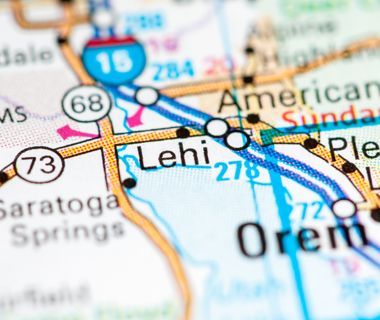
A close up of a map showing the location of lehi

All Rights Reserved | FirePeak Media © 2025

Privacy Policy & Terms and Conditions

Share by: